About Autocab Taxis
Book and track your Taxi easily with Stoke on Trent's Premier Taxi Company. Click, Book & Track Your CAB Dear Customer Welcome to Autocab Taxi’s Booking App. With this app you can: - Have priority for all book
Book and track your Taxi easily with Stoke on Trent's Premier Taxi Company.
Click, Book & Track Your CAB
Dear Customer Welcome to Autocab Taxi’s Booking App.
With this app you can:
- Have priority for all bookings
- Book your Taxi immediately or make an advanced booking
- Cancel your taxi at the push of a button
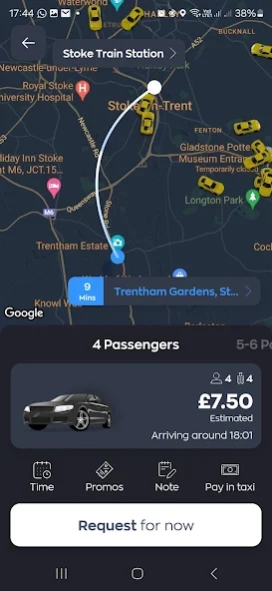
- Track your taxi in real time
- No phone call required
- Push Notification on your booking status
- Booking is Fast & Simple
- Find popular destinations near you
- An estimated time of arrival
- Estimated fare
Autocab Taxi’s has a large fleet of vehicles ranging from Saloon Taxis, People Carriers and also Wheelchair Accessible Taxis and not to forget our latest addition Executive Vehicles all at very competitive prices.
If you feel that the Booking Application does not fulfil your requirements then please call 01782 314315, and we will be happy to assist you.
Previous Versions
Here you can find the changelog of Autocab Taxis since it was posted on our website on 2023-07-03 14:22:39.
The latest version is 34.6.12.291 and it was updated on 2024-04-26 20:16:41. See below the changes in each version.
Autocab Taxis version 34.6.12.291
Updated At: 2024-04-23
Changes: Features include:
- Increased Vehicle Specifications
- Enhanced Tracking
- Captcha
- Social Sign in
Autocab Taxis version 34.6.10.275
Updated At: 2024-03-18
Changes: Latest Passenger App with new design and features including favourite journeys.
Disclaimer
Official Google Play Link
We do not host Autocab Taxis on our servers. We did not scan it for viruses, adware, spyware or other type of malware. This app is hosted by Google and passed their terms and conditions to be listed there. We recommend caution when installing it.
The Google Play link for Autocab Taxis is provided to you by apps112.com without any warranties, representations or guarantees of any kind, so access it at your own risk.
If you have questions regarding this particular app contact the publisher directly. For questions about the functionalities of apps112.com contact us.